

Module 4 — Communication · Lesson 4.1
Messages, Channels and Threads
Internal chat, reply panels, reactions and pins — and reaching people outside your workspace
What you'll learn
- Use DMs, groups, channels and reply threads appropriately
- Pin, react, forward and mute to keep a busy channel readable
- Message someone outside your workspace by handle, email or workspace slug
- Decide what belongs in chat versus in a task comment
Chat inside a work tool is either redundant with Slack or it is the thing that makes the rest of the tool work. Kavanah's is the second, for one specific reason: conversation that happens here is conversation the agent can see, and captured work comes from conversation. That does not mean you have to move your team off Slack — Kavanah connects to it — but it does mean the chat surface is not decoration.
The shapes of conversation
Direct messages are one-to-one. Group chats are several people, with a clickable member list so you can see who is actually in one. Channels are topic-scoped and persistent. Workspace-team threads sit alongside them.
Reply threads are the important structural feature. Replying to a message opens a thread in a right-side panel rather than inline, which keeps a busy channel readable — the main flow stays a list of topics and the detail lives one click in.
The habit worth building is to reply in thread by default. A channel where every response is inline degrades to unreadable at about ten people; one where responses are threaded stays scannable at fifty.
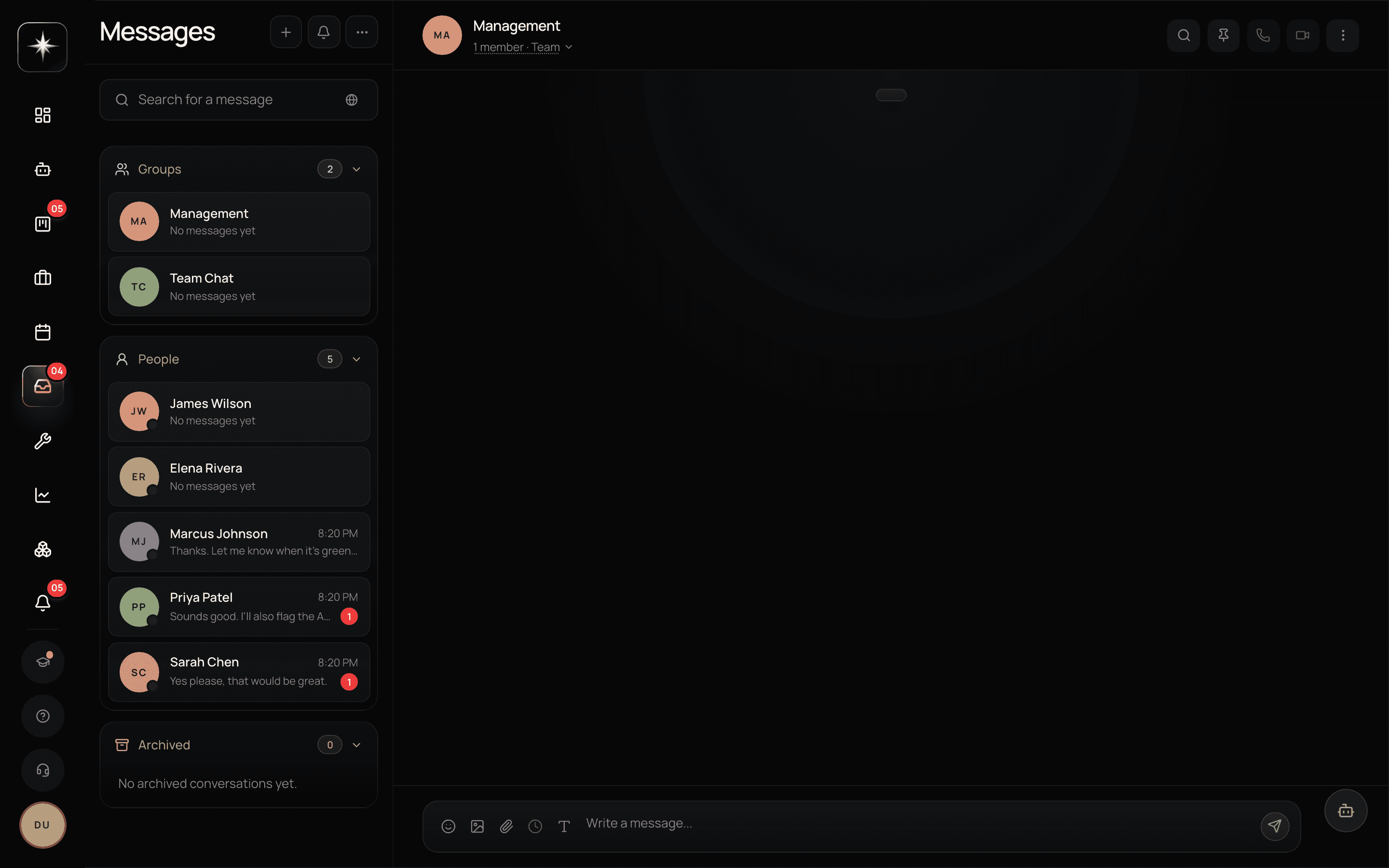
The controls that keep a channel usable
Reactions acknowledge without adding a message. Half the inline replies in most channels are 'ok' and 'thanks', and a reaction carries the same information without costing anyone a scroll.
Pins mark the messages that matter. A channel with the decision, the link and the current status pinned is a channel someone can join and orient in.
Forwarding moves a message to where it belongs. Mentions notify a specific person, which is what makes them work — and what makes over-mentioning corrosive, because a mention that did not need a person's attention teaches them to ignore the next one.
Mute is the release valve. Muting a thread you do not need is not disengagement; it is what keeps your notifications meaningful.
Reaching people outside the workspace
The workspace boundary is otherwise absolute, and the @handle is the deliberate exception. From New chat → 'Message someone new', you can reach someone by their @handle, their email, or their workspace slug. They receive a message request and choose whether to accept.
Set your own handle in the ⋯ → Chat settings menu, or on your profile page. Pick something you would be comfortable giving to a client.
This is how you talk to a contractor, a client contact, or a colleague at another company without adding them to your workspace — which is exactly the outcome you want, because workspace membership is a much bigger grant than a conversation.
Chat or task comment?
The line is durability. A task comment is attached to the work and will be there when someone opens the task in three months. A chat message scrolls away.
So: anything that is a decision about a specific piece of work, a constraint on it, or an answer to a question about it belongs in the task's comments. Anything that is coordination — availability, a question about who is doing what, a heads-up — belongs in chat.
The test that catches most cases: if someone reading only the task in three months would need to know this, it goes on the task. If you would be happy for it to disappear, chat is fine.
This is not pedantry. It is the difference between a workspace where the work explains itself and one where the explanation is in a channel nobody can search.
Make chat work
- 1
Reply in thread on your busiest channel
Open Messages, find the noisiest channel, and reply in thread rather than inline for a week. The difference in readability is immediate.
- 2
Pin the three messages a newcomer would need
The decision, the link, the current status. A channel with those pinned onboards people without anyone repeating themselves.
- 3
⋯ → Chat settings, or your profile. It is how people outside the workspace start a conversation with you.
- 4
Move one scrolled-away decision into a task comment
Find something in chat that a future reader of the task would need, and put it on the task.
What to watch
- Thread ratio
- Share of replies that go into a thread rather than inline in the channel.
- Healthy signal: High. A channel where most replies are inline stops being readable somewhere around ten active people.
- Mention precision
- Whether mentions land on people who needed to act. Hard to measure directly; easy to feel.
- Healthy signal: If your team has started muting channels, mentions have lost their meaning and the fix is upstream of notification settings.
- Decision durability
- How often a decision about a task lives only in chat rather than on the task.
- Healthy signal: Rarely. Every instance is a question someone will ask again in a month.
Key takeaways
- ·Reply in threads by default; it is what keeps a channel readable as the team grows.
- ·Reactions, pins, forwarding and mute are the controls that make a busy channel survivable.
- ·The @handle is the deliberate hole in the workspace boundary — outsiders reach you by request.
- ·Decisions about work belong in task comments; coordination belongs in chat.
- ·Conversation in Kavanah is conversation the agent can see, which is where captured work comes from.
Next: real email — connecting a mailbox, the unified inbox across three providers, and sending from inside Kavanah.