

Module 5 — Time, Planning and Insight · Lesson 5.1
Tracking Time
The timer, manual entries, and making time data worth collecting
What you'll learn
- Start, stop and log time against tasks and projects
- Add a back-dated entry for work you forgot to track
- Read the time summaries by project and person
- Choose a tracking policy your team will actually follow
Time tracking has a reputation problem, and it is deserved wherever it is used for surveillance. It is worth doing for a different reason: it is the only source of the actuals that make estimates get better. Which of those two your team believes decides whether the data is any good.
The mechanics
Open Time under the Workspace group, or use the Time Tracker card on the dashboard.
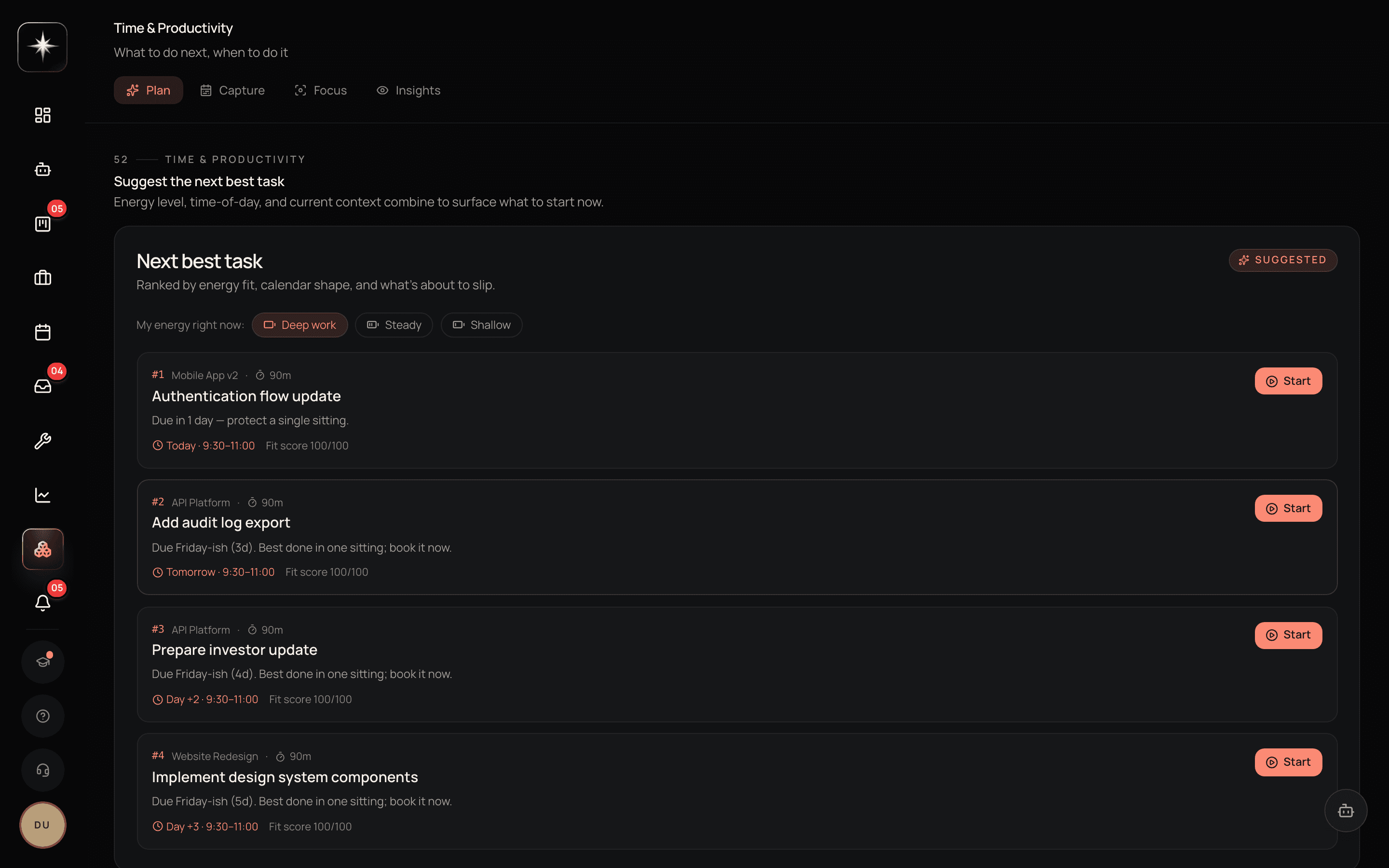
The surface is four tabs. Capture is where the timer and manual entries live and is where you will spend nearly all of your time. Plan is the forward-looking half — what the week is supposed to hold. Focus is for working in a single block without the rest of the app arguing for attention. Insights is the read-side: where the hours actually went. If you only ever use one, use Capture.
Start a timer against the task or project you are working on; stop it when you finish. If you forgot — which everyone does — log a manual entry for the past work instead. Back-dated entries are first-class, not a workaround.
The summaries show where hours went, by project and by person. That is the read-side of the feature and the thing worth checking weekly.
One active timer at a time is the normal pattern. If you find yourself wanting two, you are context-switching, which is itself the finding.
What it is actually for
Three legitimate uses, and it is worth being explicit about which yours is.
Billing. If you bill by the hour, time entries are invoices and the accuracy requirement is high.
Calibration. Kavanah compares estimates against actuals and uses the ratio to improve future forecasts. This is the use that makes tracking valuable even for teams that do not bill, and it needs entries to be roughly right rather than precise.
Diagnosis. Where did the week go? Time summaries answer a question nobody's memory answers honestly, and the answer is often 'the thing nobody planned for'.
The use that corrodes the data is a fourth one: performance monitoring. Where people believe their hours are being judged, entries stop describing reality within a fortnight — they become the hours people think they should have worked. If that is happening, the data is worse than nothing because it looks like data.
A policy people follow
Pick the loosest policy consistent with your use.
For calibration and diagnosis, daily granularity is enough: log roughly what you spent on what, once a day. Precision to the minute buys nothing and costs compliance.
For billing, track as you go, because reconstruction at the end of the week is where billing disputes come from.
Either way, say out loud what the data is for and who sees it. The single biggest determinant of time-tracking data quality is whether people believe the answer to 'why are we doing this'.
And make it a habit attached to something else — the end-of-day pass on My Work is a natural place, because you are already looking at what you did.
Where the data goes
Time entries feed the time-tracking reports, the per-project and per-person summaries, and the estimate-versus-actual calibration.
That last one is the compounding use. Every completed task with an estimate and an actual makes the next forecast slightly better — and the correction is applied at the planning layer, as a forecast, rather than being written back onto the stored estimate. That detail matters: it means your original estimate stays visible as what you actually thought, and the system's learning does not quietly overwrite the evidence it learns from.
So the value of tracking is not this week's report. It is that in three months, planning gets noticeably more accurate for reasons nobody has to think about.
Start tracking
- 1
Start a timer from the dashboard card
The Time Tracker card is the lowest-friction entry point. One click when you start the task.
- 2
Log a back-dated entry for yesterday
Manual entries are first-class. Reconstructing yesterday roughly is better than recording nothing.
- 3
Read the weekly summary by project
Where did the week actually go? Compare it against where you thought it went.
- 4
What the data is for, who sees it, and how precise it needs to be. This determines the quality more than any feature does.
What to watch
- Tracking coverage
- Share of working days with at least one time entry per active member.
- Healthy signal: High and stable. A sudden drop is usually a policy or trust problem rather than a busy week.
- Estimate-to-actual ratio
- Actual hours divided by the stored estimate, aggregated across completed tasks.
- Healthy signal: Stable, whatever its value. A stable ratio is correctable; a wildly varying one means estimates are guesses and calibration has nothing to learn from.
- Unplanned time share
- Hours logged against work that was not in the plan at the start of the period.
- Healthy signal: Known. Most teams discover this is far higher than they thought, and knowing it is what makes planning honest.
Key takeaways
- ·Timer from the dashboard card or the Time surface; back-dated manual entries are first-class.
- ·The compounding value is calibration — every actual makes the next forecast better.
- ·Correction is applied at the planning layer, never written back over your stored estimate.
- ·Pick the loosest policy consistent with your use; precision costs compliance and buys little.
- ·If people believe hours are being judged, the data stops describing reality within a fortnight.
Next: the estimate side of that loop — how Kavanah produces estimates and what to do with them.