

Module 5 — Time, Planning and Insight · Lesson 5.5
Reports and Scheduled Delivery
The report library, the Operating tab, and emailing the right thing to the right people on a cadence
What you'll learn
- Generate the right report for a given question
- Read the Operating tab's system-level metrics
- Create a schedule with the right format, recipients and cadence
- Convert local time to UTC for a cron cadence, or sidestep it entirely
A report nobody reads is worse than no report, because producing it costs something and someone believes it is being read. The way to avoid that here is to be deliberate about two things: which report answers which question, and getting it delivered to where people already are rather than expecting them to come and look.
The library
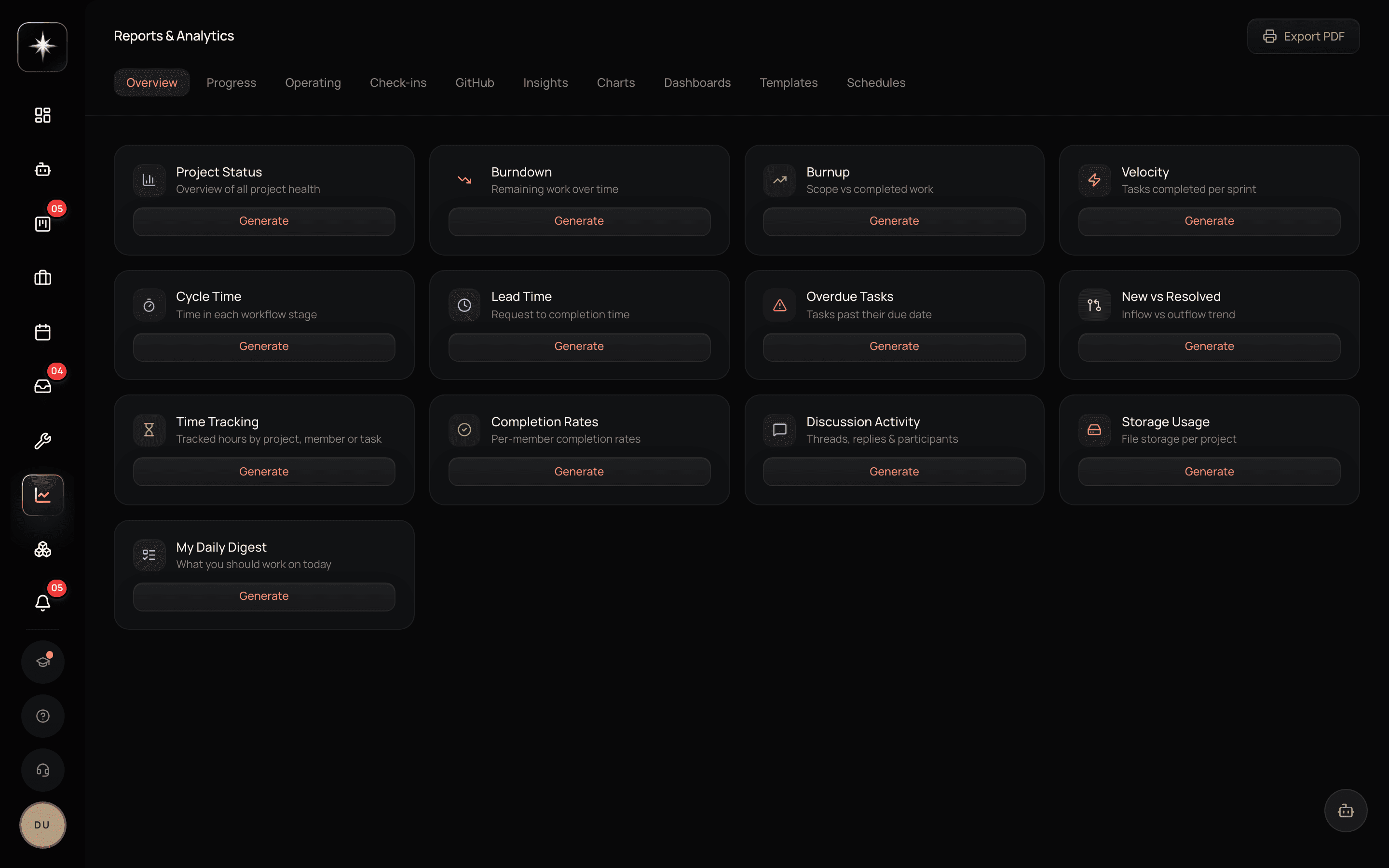
Open Reports under Insights. The library covers the standard questions.
Status reports answer 'where is this project'. Velocity answers 'how fast are we going'. Burndown answers 'will this sprint land'. Bottlenecks answers 'where is work piling up' — which is usually the most actionable of the four, because it names a place rather than a number.
Time tracking reports answer 'where did the hours go'. Executive summaries are the compressed version for people who will not read the rest.
My Daily Digest is the personal one: a report of what you specifically should work on today. It is the one most worth scheduling, because it is the only report whose audience is one person and whose action is immediate.
The Operating tab
The Operating tab carries system-level metrics that are not about a project at all — things like negation reuse, AI Employee contribution, and Vision hit rate.
These are the metrics that tell you whether the Kavanah-specific machinery is doing anything. Negation reuse says whether your charter's hard nos are being cited by real refusals or are decoration. AI Employee contribution says how much work your personas are actually doing. Vision hit rate says whether the work being accepted is the work you said mattered.
They are worth a monthly look rather than a daily one. Their value is in the trend: a negation reuse figure that is flat at zero means the charter is not doing anything, and that is a finding you will not get from any project report.
Scheduling delivery
The Schedules tab is where a report becomes a recurring email.
Choose the report type, the format (Markdown is available alongside the others), the recipients, and the cadence. Recipients can be literal email addresses or dynamic workspace members — the second is better for anything role-based, because it survives people joining and leaving.
Use Run now to test delivery immediately rather than waiting a day to discover the recipients were wrong.
And the trap: cadences are expressed in UTC. If you want 9am your time, you have to convert. Setting the hour you want without converting is how a morning report arrives at 2am, and the mistake is invisible until someone complains.
The sidestep is worth knowing: you can just ask the AI agent to set it up — 'email me every weekday morning what I should work on' — and it will create the schedule, resolving the time in your profile timezone rather than making you do offset arithmetic.
Designing a reporting cadence
Three rules that keep reports read.
One report per audience per cadence. A weekly report to the team and a monthly summary to leadership is a system. Five reports to overlapping audiences is noise that trains everyone to filter.
Send it where the audience is. A report emailed to someone who lives in email works; the same report requiring them to log in does not.
And delete reports nobody reads. The signal is easy to get — ask. A recurring report that no one can remember the last content of should be turned off, and turning it off is free.
Set up reporting
- 1
Of the standard four it is the most actionable, because it names a place rather than reporting a number.
- 2
Schedule My Daily Digest to yourself
Reports → Schedules. Or ask the agent to do it, which sidesteps the UTC conversion entirely.
- 3
Use dynamic workspace-member recipients
Role-based recipients survive joiners and leavers; a literal address list does not.
- 4
Look at the Operating tab once
Negation reuse, AI Employee contribution, Vision hit rate. These are the only metrics that tell you whether the Kavanah-specific machinery is doing anything.
What to watch
- Report readership
- Whether recipients can describe the last edition's content.
- Healthy signal: They can. If they cannot, the report is a cost with no benefit and should be turned off.
- Delivery-time correctness
- Whether scheduled reports arrive at the intended local hour.
- Healthy signal: Always. A report arriving in the middle of the night is a UTC conversion nobody did.
- Negation reuse
- On the Operating tab: how often charter lines are cited by real refusals.
- Healthy signal: Non-zero. Flat zero means the charter is decoration rather than a boundary.
Key takeaways
- ·Bottlenecks is the most actionable of the standard reports, because it names a place.
- ·The Operating tab is the only view of whether the Kavanah-specific machinery is doing anything.
- ·Schedule cadences are UTC — convert, or let the agent set it up in your own timezone.
- ·Prefer dynamic workspace-member recipients over literal addresses.
- ·One report per audience per cadence; delete anything nobody can recall reading.
One more report deserves its own lesson, because it is off by default, spends credits on a cadence, and is the closest thing Kavanah has to an autonomous COO.